Mixed Reality · Interaction Design · Unity
HoloMenu
A HoloLens menu prototype where users add or remove ingredients and instantly see the burger update in 3D.
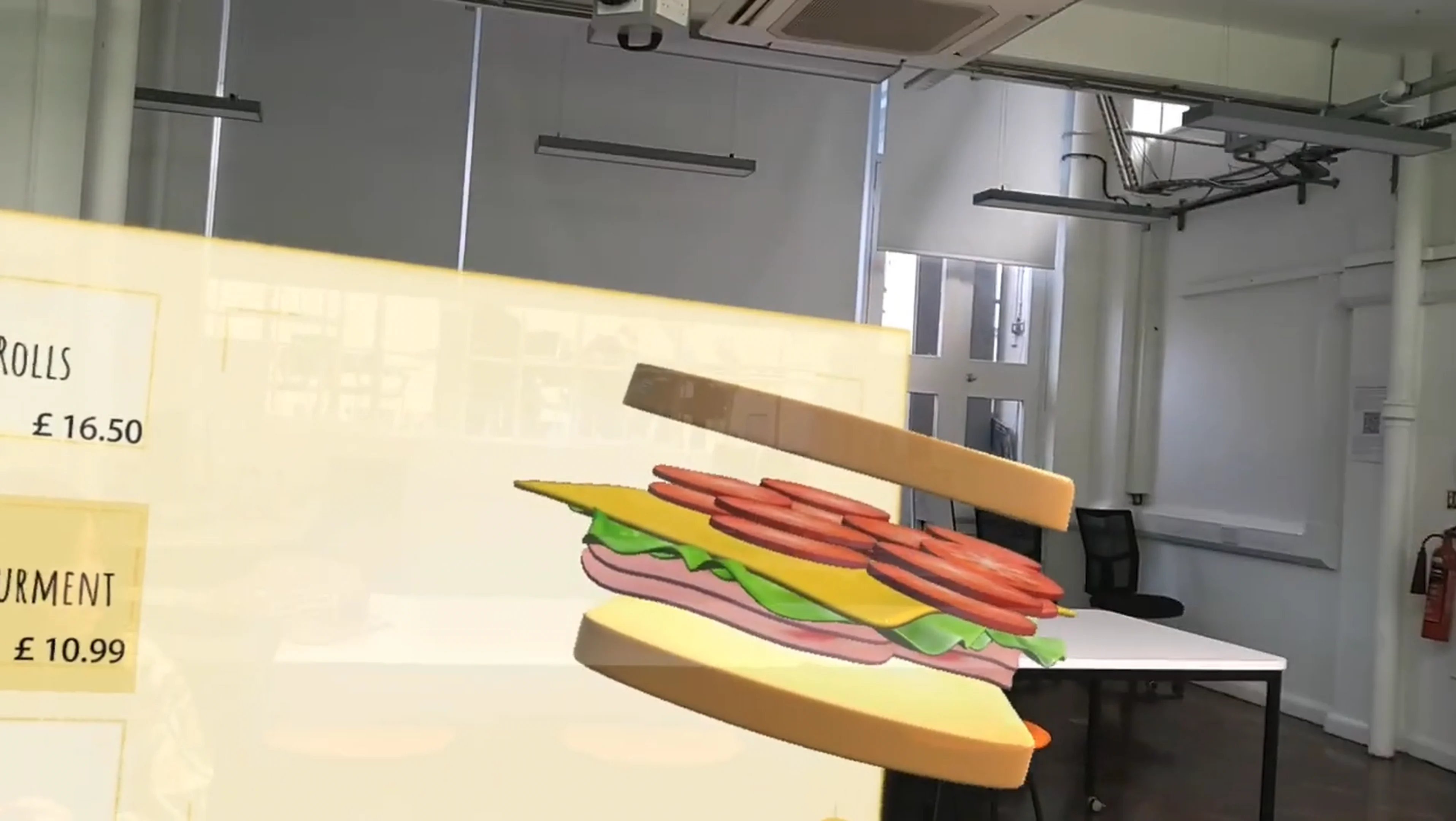
A HoloLens menu prototype where users add or remove ingredients and instantly see the burger update in 3D.
Interaction UI · Real-time model update logic · 3D layer setup and state mapping · HoloLens deployment
Where It Begins
During a visit to MAX Burgers, I noticed their self-service kiosk allows extreme customization—up to 9 meat patties.
That moment sparked a question: how can we make complex food customization more legible than text and numbers?
HoloMenu is my answer: a HoloLens prototype where every user change updates the burger instantly in 3D.
Goal
Make complex customization understandable at a glance using a live 3D preview.
Interaction Flow
- Select an ingredient category.
- Tap +/− to adjust quantity.
- The burger model updates immediately by adding or removing layers.
How the System Works
Each ingredient has a quantity state. The burger is built from modular 3D layers that are enabled, disabled, or swapped based on the current state.
Tools & SDK
- Unity — mixed-reality prototype development
- Blender — modular 3D assets: bun, patty, and toppings
- Visual Studio — C# scripting
- OBS — screen recording and timelapse
My Contribution
- Interaction UI
- Real-time model update logic
- 3D layer setup and state mapping
- Build and deployment to HoloLens
Prototype Demo
Learnings
Build & Deploy Pipeline — I learned the end-to-end workflow from Unity build to HoloLens deployment—device mode, packaging, and iteration loops—and optimized the edit → deploy → test cycle to reduce turnaround time.
MR Interaction Constraints — Designing for HoloLens means accounting for limited precision compared with mouse input: larger hit targets, clear affordances, and minimal interaction steps help avoid frustration.
Performance Awareness — Real-time model updates need lightweight logic and clean hierarchy management to keep frame stability on-device.